
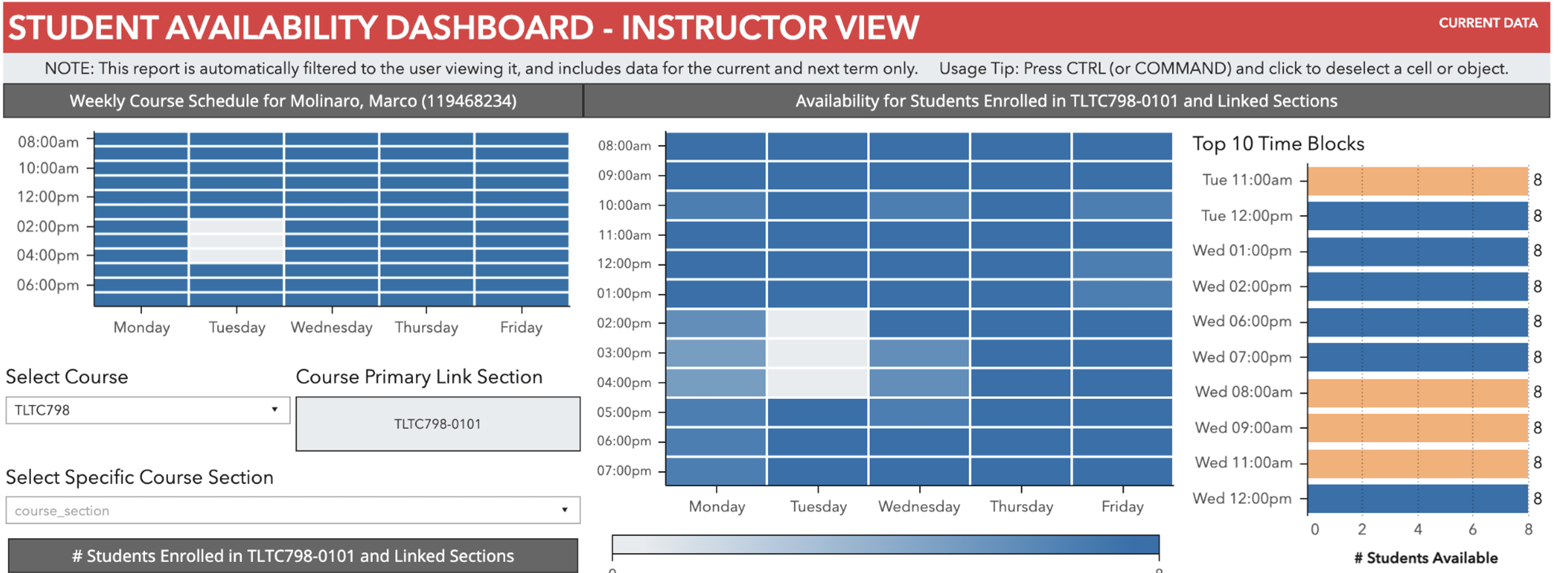
This dashboard shows the availability of an instructor and their students based on teaching and course schedules, respectively. The report is automatically filtered by instructor upon login, and displays data for the current and next academic term. Instructors may select to view the availability in either hour or half-hour time blocks. Users can further filter by selecting a specific course/ section, preferred start/end times, or days of the week.
What can you do with the tool?
- View availability of students enrolled in their courses to maximize the number of students available for activities outside of course meeting times (e.g., office hours, review sessions, make-up exam times, field trips, and more).
- Availability data can be viewed by section for larger courses enabling the faculty member to share that information with teaching assistants for their section specific scheduling needs.
Current/Potential Outcomes
- More students are able to participate in instructor- and/or teaching assistant-initiated activities as they are more likely to be available when not attending their registered courses.
- Faculty are starting to take student availability into account when scheduling office hours and additional course sessions.
Users
- Instructors of record are the targeted users and they can make the information available to their teaching assistants at the section level as well. Instructions for faculty use provide more detailed information on access, additional features and frequently asked questions.